
Get More. For Less.

Now Available!

Shop our most popular Internet packages. Speeds up to 10 Gig Fiber available, we have a speed for any budget.

Shop from a selection of our most popular Cable TV packages including StreamTV, local channels and live sports.

Shop our most popular home phone service featuring unlimited local and continental US long distance.

Now Available:
Brainiacs + WTFast
Level up your game with WTFast from Buckeye Broadband. Experience smoother game play with reduced lag as WTFast automatically finds the fastest connection between your PC and the online game server.

Now Available:
Fiber Internet
Buckeye offers the area's only 10 Gig Fiber Internet network. Give your home lightning-fast Internet speeds using the newest, fastest, and most dependable Fiber Optic Internet technology.

Now Available:
Pocket Geek® Home
Get protection for nearly all of the connected devices in your household. Pocket Geek Home covers multiple devices with one plan and zero headaches.
Featured Product:
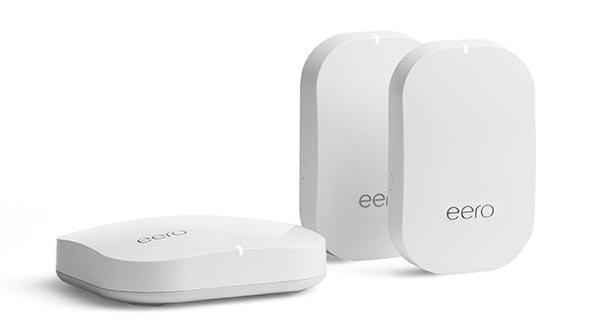
SmartNet
Hardware and software combine to give you fast, reliable WiFi Internet in every corner of your home and a simple app to view and control your home network.
Persons with disabilities who need assistance with issues relating to the content of Buckeye Broadband’s FCC public inspection file should contact: Administrative Assistant, at 419-724-7202 accessibilitypublicfile@buckeyebroadband.com 2700 Oregon Road, Northwood Ohio 43619.